
Tutorials & Tips

Create Flow Diagrams in PowerPoint using Shapes

Shapes in PowerPoint are fabulous also to create flow diagrams in PowerPoint. Here we will see how we can create attractive flow diagrams using shapes in PowerPoint. These flow diagrams can be used for different purposes, including business presentations but also engineering or software development. You can design your own flow diagrams in PowerPoint using shapes. In …

Adding callouts in your PowerPoint presentations

free comic bubble PowerPoint slide callout

Either if you are creating a PowerPoint template or just designing your final PowerPoint presentation you can create bubbles for conversations or callouts in your slide to highlight any important text or concept or as speeches boxes in PowerPoint.  Here we will show you how to create callouts for PowerPoint. 1. Create callouts (bubbles) in …

Visio and PowerPoint

Visio and PowerPoint can be integrated in a seamless way for example to link Visio diagrams in PowerPoint or embed the diagrams in PowerPoint presentations. These two methods let you integrate PowerPoint with visio diagrams for your presentations. When you link a Visio drawing to a PowerPoint presentation slide the presentation file include a small …

How to Use Thesaurus in PowerPoint

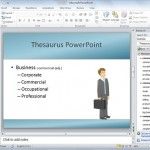
Imagine this situation: You are preparing an important PowerPoint presentation and once you are ready to close it you find that there are many repeated terms. You are so focused in your presentation that it is hard to find other related terms, synonymous or antonyms in order to help you as a presenter (you don’t …

How to flip a shape in PowerPoint

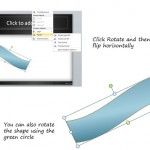
Sometimes it is needed to rotate a shape but keeping the height and width proportional. Other times we are only interested to flip a shape horizontally or vertically. This helps to create a mirror of a given shape. You can flip shapes using PowerPoint rotation feature. Shapes can be rotated or flipped in the same …