
Tutorials & Tips

Last Slide in a PowerPoint Presentation

The last slide in a PowerPoint presentation is not less important than other slides. Moreover, usually, the last slide in a PowerPoint PPT presentation is the slide that remains the most time visible and the one that has more changes to remain in the memories of your audience. What is a Last Slide in a …
How to Recolor a Picture in PowerPoint

PowerPoint comes with a helpful recolor feature that lets you easily replace the current image color using a gallery with new color effects. This can be really convenient if you need to replace the color of a picture. Recolor pictures in PowerPoint can be useful, for example, if you are using a picture but want …

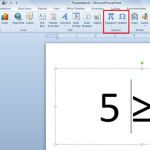
Add a Greater Than Symbol in PowerPoint

Greater than symbol can be used in many different presentations to denote a value that is greater than other value. We can create greater than symbols in PowerPoint or copying it from other source. Creating a greater than symbol in PowerPoint is very easy. Let’s see how to add a greater than symbol and then …

How to Convert PowerPoint to Kindle or Ebook Friendly Format

In the digital age, sharing knowledge and information is crucial, and eBooks have become a popular medium for this purpose. PowerPoint, widely used for presentations, holds potential for eBook content creation. This article guides you through the process of converting PowerPoint presentations into engaging eBooks, specifically for Kindle readers. Understanding eBook Formats ePub and MOBI …