Find useful information about PowerPoint and read & learn PowerPoint topics including tutorials for presentations on how to make better PowerPoint presentations or using PowerPoint features like shapes and review. You can download free PowerPoint templates and PowerPoint backgrounds for presentations.
When conducting a high-level meeting it is important to go in with a set agenda. This agenda can be presented before participants to build upon the discussion during a meeting to ensure that all important aspects are duly covered. Often, agendas can get lost in translation if the meeting is not conducted in a systematic …
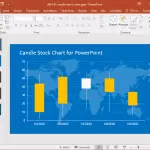
One of the things that can really help you present statistical information in an easy to grasp manner are charts. PowerPoint charts can be a great way of making attractive data visualizations for interpreting and presenting essential data. When making chart slides, the easiest method for saving time and getting the most out of your …
Quizzes in PowerPoint are not used as often as they should be. This is because a quiz can go with almost any type of presentation, making it more interesting and engaging. You can incorporate quizzes in your PowerPoint based class lectures, business presentations, staff training sessions, etc. If you are looking to learn about the …
Did you know that 47% of professionals spend over 8 hours creating presentations? PowerPoint has long been the go-to for creating presentations, but its traditional slide design approach doesn’t always meet today’s evolving presentation needs. Whether you’re a professional, educator, entrepreneur, or student, exploring PowerPoint alternatives can introduce new features, save time, and help your …
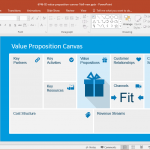
Canvas design presentation templates are used for depicting business models with specific details such as; partners, resources, activities, sales channels, value propositions and customer relationships. It’s similar to the Logical Framework or Result Based Management Models which are used for presenting the different stages of a project. Here are some of the best editable Business …
Presentations with static slides and plain backgrounds aren’t going to win you an applause, unless you are an exceptionally good presenter. As not all of us have the Steve Jobs touch when it comes to presenting our ideas, therefore, here are a few tips that can help you add a touch of creativity when presenting …
AI technology has advanced to the point where it can assist in creating presentations with ease. Microsoft has integrated Copilot into PowerPoint to leverage AI inside Microsoft Office suite, and making it possible for users to generate presentations quickly by simply entering a prompt. Copilot has the ability to create visually appealing pitch decks by …
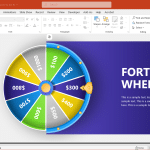
Spin the wheel tools, also known as random spinners or fortune wheels, are popular for making random selections in a fun and engaging way. Whether you’re hosting a raffle, looking for ways to create engaging PowerPoint presentations, or conducting classroom activities, these tools provide an interactive way to engage an audience. In what is to …
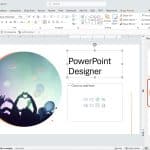
PowerPoint Designer is a feature introduced in PowerPoint 2016, designed to help users enhance their presentations effortlessly. It uses artificial intelligence to analyze slide content and provide layout suggestions that improve the visual appeal and clarity of the slides. Now it is incorporated into the Copilot experience and rebranded as “Design Suggestions”
According to some estimates there are as many as 300 million PowerPoint users and a mammoth 30 million PowerPoint presentations are made on a daily basis. It doesn’t require anyone of us to have an IQ of 200 to know how messed up most of these presentations tend to be. Leading to the phenomenon of …