
Visibility related tutorials and apps to help you make the most out of your presentations and daily tasks. With the help of these simple guides you can make use of digital eye charts or learn tricks like how to manage hidden shapes in PowerPoint.
Sometimes, you need to rename a shape object from the default name to any desired name, especially if you will deal with VBA code in the future and want to use more descriptive names for shapes and objects. This snippet will help you rename objects easily using a Macro. To use it, just create a …
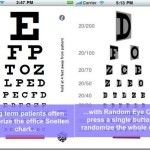
Eye charts are used to determine visual acuity and contain numerous rows of standard symbols in different sizes, known as optotypes. While eye charts have been used by eye specialists (ophthalmologists) since decades to determine vision related problems of patients, in recent years computer-based alternatives for eye charts have also become available. In fact, some …
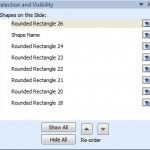
The Selection pane in PowerPoint (also known as Selection and Visibility in previous versions of PowerPoint) is a pane that we can display on the right of PowerPoint editor and have some interesting and very useful features that we can use to work with shapes in PowerPoint. This pane can let us see what shapes …
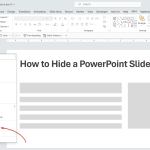
Hiding slides in PowerPoint is a good way to skip slides during a slideshow presentation without removing the content. By hiding slides in your PPT presentation, you can bypass certain slides without deleting them. This can be very convenient, for example, if you need to finish the slide design or content at a later stage. …
Advertisement
The Latest FPPT Templates Delivered To Your Inbox
We will send you our curated collections to your email weekly. No spam, promise!