Tutorials & Tips

How to Add a Custom Layout in PowerPoint

In PowerPoint we can create custom layouts as part of a templates. This can be very convenient if we need to make custom slides for example to show quotes in PowerPoint. In order to insert a custom layout in PowerPoint we need to switch to Slide Master design in order to change the template and …

Buttons in PowerPoint

Call to action buttons are sometimes required in PowerPoint presentations, especially if we want to share presentations online and let users click on the button. In CSS and HTML we can design nice buttons using gradients and button styles, so why we can’t reproduce this in PowerPoint slides? Here we will show you how we …

Types of PowerPoint Animations

PowerPoint animations enable you to add animations to presentation elements including text, graphics, charts, and more. It is important to notice the difference between transitions which are applied to slides and animations which are applied to presentation elements. Here we will see some of the animations types available to use in PowerPoint presentations. This can …

Marimekko Charts PowerPoint

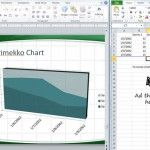
Marimekko Charts are widely used in finance projects, economy and also in MBA courses like in Harvard Business School. Marimekko charts are also widely adopted in Marketing for example to analyze customer segmentation and market segmentation. Here we will show you how to build a Marimekko Chart in PowerPoint. Once you have chosen the chart type, you need …

How to Hide a PowerPoint Slide

Hiding slides in PowerPoint is a good way to skip slides during a slideshow presentation without removing the content. By hiding slides in your PPT presentation, you can bypass certain slides without deleting them. This can be very convenient, for example, if you need to finish the slide design or content at a later stage. …

How to format a 3D sphere in PowerPoint

Shapes are powerful tool in PowerPoint, we have discussed about this in Using Shapes in PowerPoint . Using shapes we can not only make 2D figures and illustrations but also complex 3D spheres and designs, applying format options and gradients. Here we will show you how to convert 2D shapes in a simple 3D sphere …