
Presentations Based on Markdown: Tools and Top Apps
Last updated on February 16th, 2026
Making presentations is a combination of merging visuals with information. Markdown is a lightweight markup language that can help you simplify the creation of professional looking slide decks. In a previous post we showed you how to convert Markdown to PowerPoint, this time we will dig deeper into the use of Markdown, as well as discuss tools, techniques, and top apps that you can use to make presentations based on Markdown.
What is Markdown?
Markdown is a syntax for formatting plain text that can be used for making structured documents with little effort. Since Markdown is easy to convert to various formats, developers, content creators, writers, and presenters use it to simplify the task of generating content. Markdown provides the benefit of simplifying adding of headings, links, images, lists without the need for a Word processor, while providing scope for automation.
What is a Presentation App?
If you are new to presentations, you might wonder what is a presentation app? There are various popular presentation apps such as PowerPoint, Keynote, Prezi, Google Slides, and others that provide a simple interface for creating slides used for presetting information. Presentation apps allow creating a mix of written and visual content to make information easy to present before an audience to explain a topic. Markdown-based presentation apps can help streamline this process by allowing users to write their presentations in the form of code and render them as slides.
Benefits of Markdown-Based Presentation Tools
There are various benefits for using markdown-based presentation tools. Some examples include:
- Efficiency: Markdown presentation tools can help focus on content rather than design. Making it a good choice for designing efficient slide decks that are information rich, yet easy to follow for an audience.
- Lightweight: Content creators, educators, developers, and business professionals looking for lightweight solutions for presentation making can benefit from the use of Markdown, which can also provide the added advantage of easy customization.
- Portability: Markdown files are easy to share, lightweight files, making portability easy and convenient.
- Ease of Integration: Developers who already use Markdown presentation format in their workflow can greatly benefit from using it for presentations due to ease of integration. Furthermore, you can use various tools that allow tweaking designs with CSS or templates. This makes the integration of Markdown files easy, as it can be integrated into various version control systems such as Git, making them a good option for collaborative workflows or projects that require version tracking.
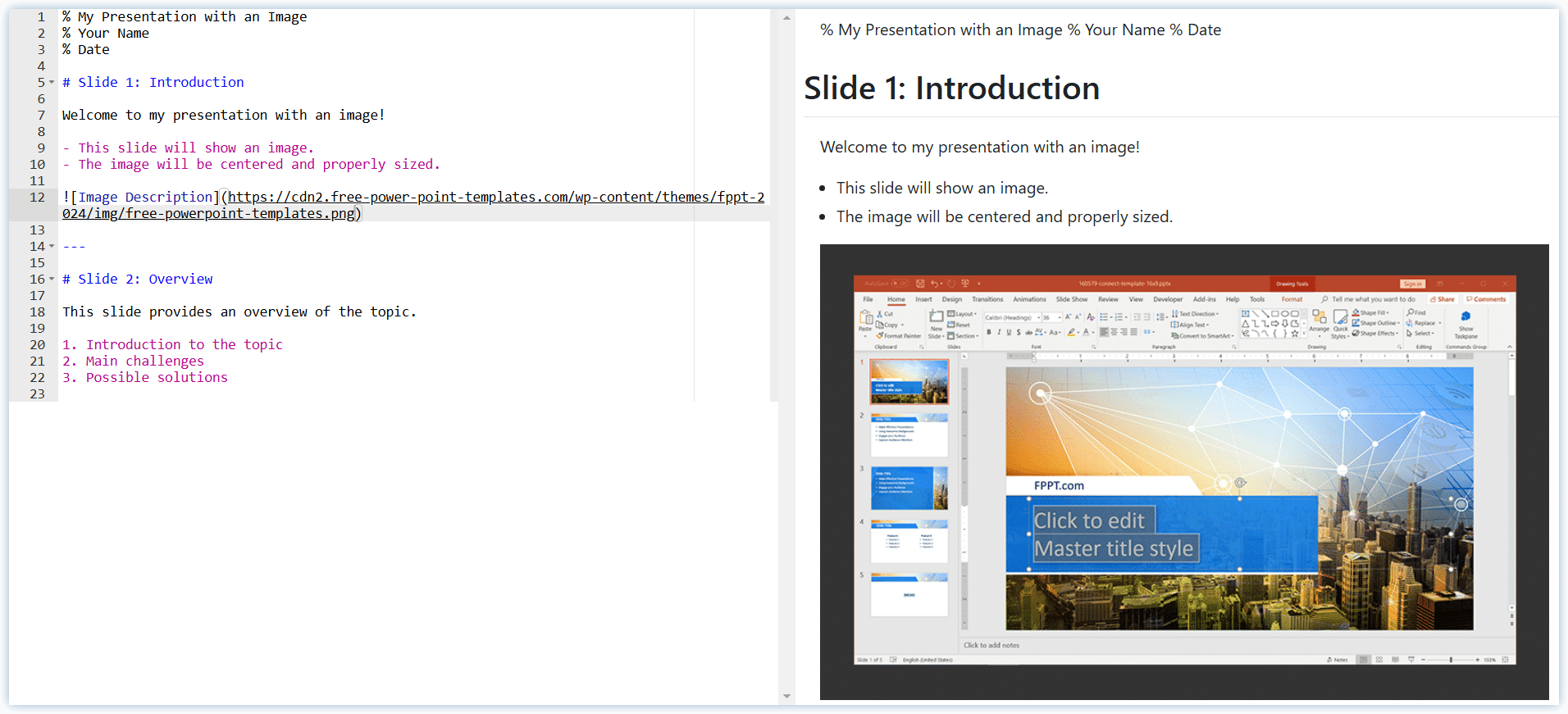
Top Markdown-Based Presentation Tools & Apps
Below is a list of different Markdown presentation tools that you can use to streamline your design workflow. These markdown presentation apps have been categorized according to various platforms.
Marp
Marp is a powerful Markdown-based presentation tool that offers a seamless transition from plain text to polished slide decks. Designed to cater to a wide range of users, from developers and educators to business professionals, Marp simplifies the process of creating visually appealing presentations.
One of its standout features is its ability to support multiple output formats, including PDF, HTML, and PowerPoint, making it a versatile choice for diverse presentation needs. Marp’s ecosystem is enriched with customizable themes, allowing users to tailor their presentations to suit specific aesthetic preferences or branding requirements.
Additionally, its integration with popular tools like Visual Studio Code enhances its utility, making it an ideal fit for Markdown-first workflows. Whether you’re crafting a lecture, a business proposal, or a tech talk, Marp provides the tools necessary to turn your Markdown files into professional-grade presentations with minimal effort.
Go to Marp.app
Deckset (Mac & iOS)
Deckset is a simple app that can be used to convert Markdown files into professional-looking slides. It is an ideal choice for Mac users who prefer minimalist aesthetics and would like to benefit from built-in themes for fast customization.
Obsidian (Windows, Mac, Linux, iOS, & Android)
Obsidian is a Markdown based app which is mainly meant for writing, with the utility to expand it for functions suited for the end user. One of the things that Obsidian can do for you is to create slides using a simple plugin. The Advanced Slides plugin for Obsidian can be used for creating impressive slides.
Pandoc (Mac, Linux & Windows)
Pandoc is another useful tool that can be used for making presentations using Markdown. Pandoc is a tool that can be for making slides on Mac, Linux, or Windows and operates via command line. While Pandoc is mainly known for converting documents between different formats, it can also be used to generate presentations by converting Markdown to formats such as HTML, LaTeX Beamer, or Reveal.js. This makes Pandoc a practical tool for quickly turning your ideas into presentation slides.
Reveal.js (HTML Presentation Framework)
If you’re comfortable with JavaScript or need browser-based solutions, you can use libraries like Reveal.js. This Markdown based presentation framework can be used entirely from your modern browser to create and present slides without the need for any additional app.
Marp (Markdown-to-Presentation Ecosystem)
Marp is a Markdown-based presentation tool that transforms simple text into professional looking slide decks. It supports multiple formats including PDF, HTML, and PowerPoint, streamlining the presentation making process that can greatly benefit developers, business professionals, educators, etc. With customizable themes and integration with tools such as VS Code, Marp is a useful solution for Markdown-first workflows.
Slides.com (Web App)
Slides.com is a web based presentation app to create slides using easy to use tools and machine learning to generate and improve your content. While it is not solely a Markdown based app, Slides.com supports importing Markdown slides for using them in your presentations.
Final Words
Markdown can provide simplicity in the process for making minimalist, yet compelling slides without the need for spending several hours fixing formatting across conventional presentation apps like PowerPoint, Keynote, Google Slides, Prezi, etc. by using Markdown with various apps and tools, you can not only streamline the process for making slide decks but also add consistency and put your ideas to practical use in the form of easy to generate slides.
