Download and learn free tips for PowerPoint presentations and stay tuned with the latest tips to make great PPT presentations with unique slide designs.
For many people, taking screenshots may seem like an easy, straightforward thing. You just capture what’s on your screen and you’re done. For those who have to take screenshots off their screens, specifically of their PowerPoint presentations on a daily basis, this can be so much more complex using third-party apps. However, what you may …
Presentations with static slides and plain backgrounds aren’t going to win you an applause, unless you are an exceptionally good presenter. As not all of us have the Steve Jobs touch when it comes to presenting our ideas, therefore, here are a few tips that can help you add a touch of creativity when presenting …
PowerPoint Designer is a feature introduced in PowerPoint 2016, designed to help users enhance their presentations effortlessly. It uses artificial intelligence to analyze slide content and provide layout suggestions that improve the visual appeal and clarity of the slides. Now it is incorporated into the Copilot experience and rebranded as “Design Suggestions”
According to some estimates there are as many as 300 million PowerPoint users and a mammoth 30 million PowerPoint presentations are made on a daily basis. It doesn’t require anyone of us to have an IQ of 200 to know how messed up most of these presentations tend to be. Leading to the phenomenon of …
A PowerPoint Presentation can help you to convey your ideas to an audience. For a successful presentation, you need to hold the audience’s attention and speak fluently and clearly, and for this purpose planning your presentation structure in advance is essential to make a winning presentation. A knockout presentation is the best way to Wow investors …
Transition effects can add a lot of vigor to an ordinary static presentation. Instead of using the default method of switching between various slides, you can make your presentations look extra special by using transition effects. Let’s explore the Fade Transition Effect and its utility in PowerPoint.
Sometimes you just can’t see a color clearly because of the default color filters used in Windows. This might be the case for a specific kind of illustration, photo or if you’re color blind. Windows 10 provides a mechanism for changing your color palette using different types of color filters. Sometimes, you can also activate …
The use of visually appealing content in reports and presentations makes them more persuasive. You can use attractive content in your slides such as images, graphics, and videos to make your slides more engaging. However, despite your best effort and hours of work, your presentation slides can often look dull. To make your job easy, …
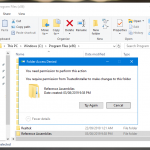
There are a lot of files in Windows based operating systems which come with restrictions. The TrustedInstaller.exe is a Windows Module Installer service in Windows OS which performs the function of installing, modifying and removing system components and Windows updates. Sometimes, you might require deleting a file or folder managed by TrustedInstaller. In such a …
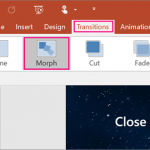
In this article, we will learn about the Morph transition in PowerPoint. Morph transition is one of the most interesting transitions available in Microsoft PowerPoint, which will enable us to make animated presentations with fantastic effects. Remember Prezi? When Prezi was launched one of its most impactful features was the animation flow used in presentations. …