
How to Create a Video Presentation from PowerPoint
Creating a video presentation from PowerPoint is a powerful way to share your ideas, projects, or lessons in a format that’s easy to distribute and view. Whether you’re aiming to make a pitch, an educational course, or a summary of your research, turning your PowerPoint into a video can make your content more accessible and engaging.
Here’s a step-by-step guide to help you craft an effective video presentation from your PowerPoint slides.
How to Create a Video from a PowerPoint Presentation? (5 Steps)
To create a video presentation in PowerPoint, follow these steps.
First, open PowerPoint and the presentation that you want to create as a video.
Next, go to File -> Export, and choose Create a Video export option.
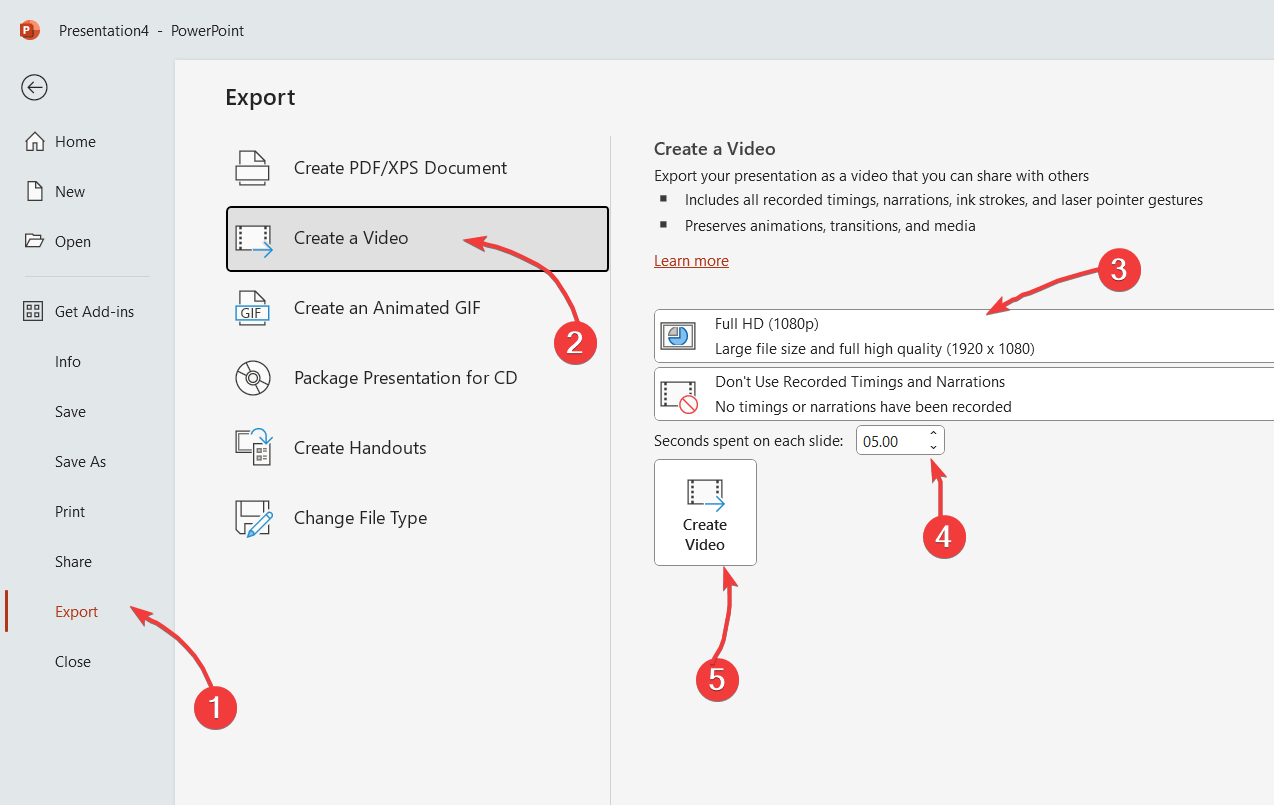
Here, you can choose the quality of the video to be exported, if you want to use recorded timings and narrations, and the time spent on each slide.
Finally, click on Create Video button and choose the output filename for the video. You can choose MP4 or Windows Media Video format (wmv).
Related articles:
- How to convert a PPT to video
- QuickTime .mov in PowerPoint
- Supported video formats in PowerPoint presentations
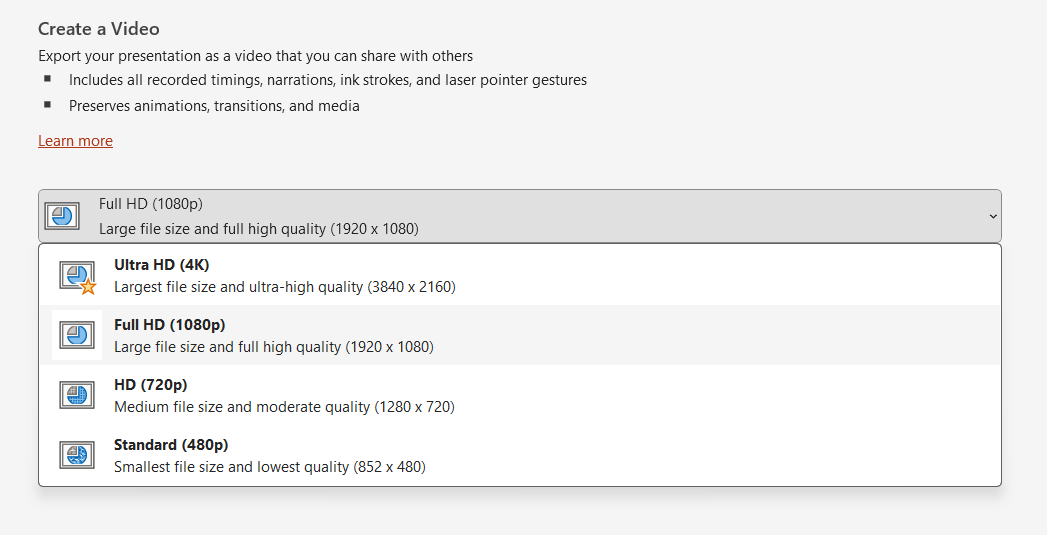
The quality option let you choose the output quality of the video. There are several formats. You can choose Ultra HD, Full HD format (1080p), HD and Standard.
Each format has its own pros and cons, but as a rule of thumb you can consider that as better the format, the higher the size (and vice versa).
If you are looking to create videos for YouTube and requires high quality, you may choose the highest format, and then convert your video to YouTube.
Turning your PowerPoint into a video presentation not only broadens the reach of your content but also caters to different learning styles and preferences.
In this article, we have covered how to make video presentations in PowerPoint. By following the steps above, you can create engaging and professional-looking video presentations that effectively communicate your message.