Learn PowerPoint 2010 and read PowerPoint tutorials and how-to guides so you can understand how to use the most important features of Microsoft PowerPoint to make awesome and better presentations for your organization. This section contains lot of articles that will explain how to use PowerPoint features and quick tutorials for PowerPoint.
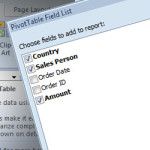
Excel Pivot tables is a great feature available in Excel that lets us summarize data in the spreadsheet. Using Pivot Tables we can reorganize, sort, count, total or give the average of the data stored in one table or spreadsheet, displaying the results in a second table what is the called “pivot table” and showing …
How to make Call To Action buttons in PowerPoint with nice effects and styles. You can apply and change styles for shapes using the Quick Style option, but if you really want to change the way buttons look in PowerPoint you can start using the custom styling and effects. Here we will see some nice …
Making presentations using PowerPoint is a great way to attract your audience, in some occasions you may need to add music to your slides to make the background more comfortable. Today we are going to explain you how to set Background Music for a PowerPoint File. First of all you need to have an audio …
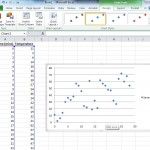
Scatter plots are a type of graph which is used to show the trending of some sort of data and showing how large is the variance of the system. This type of presentations come handy when you need to show your customers how good (or bad) is the trend for any sort of topic: assays, …
Microsoft PowerPoint is one of the best programs to create presentations and very popular worldwide. One of the best features is the capability to create animated PowerPoint presentations to attract your audience attention, in fact we have published lot of free animated PowerPoint templates for presentations. Today we are going to show you how to …
You may be in charge of corporate presentations at your company or organization and you’d like to create a background that you later can reuse for any new PowerPoint presentation. Thankfully this is possible and you can make impressive backgrounds for presentations and create a PowerPoint template file so you can reuse it for any …
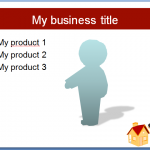
Silhouettes are nice because they give your presentation a touch of personality without showing real photos or faces. The following mini-tutorial will let you know how to create silhouettes in PowerPoint slide. For this tutorial you won’t need an extra editing software tool like Photoshop, this will explain how to create your silhouette using PowerPoint. First, …
Advertisement
Get The Latest Templates Delivered To Your Inbox
We will send you our curated collections to your email weekly. No spam, promise!