
Create a Sticky Note in PowerPoint Using Shapes and Styles
Did you know that using shapes you can create complex images? But you can also keep it simple and insert already made shapes and use shape styles to create nice looking final figures.
Here we will show you how to create nice sticky note images or a basic pin note (some people also refer to this as sticky notes for PowerPoint) using shapes and shape styles. We will insert a folded note element using shapes and then apply a simple gradient style that you can find in the shapes styles section under Format menu.
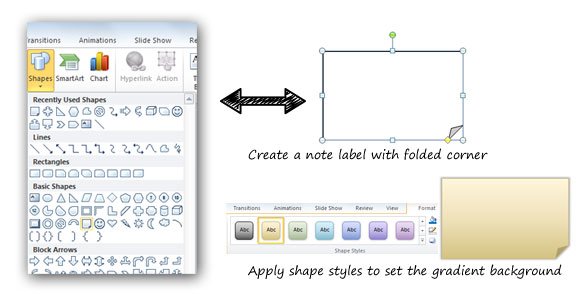
First, you need to insert a shape with no style. Insert the shape into the slide and then use Format and Shapes Style to apply a yellow gradient like in the picture. You can edit the text by right clicking the shape and then selecting Edit Text. Here you can enter your stick notes and change the font properties.
Then you are ready to move the note shape into the slide and place it where you want. Also you can rotate the sticky note to match any desired shape angle. You can use this technique to create nice looking PowerPoint backgrounds and templates for your presentations. But if you prefer you can download the free Sticky Note PowerPoint template that we created time ago.
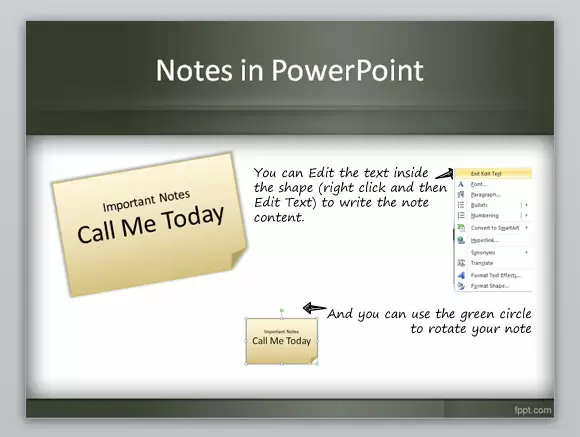
This way, you can create nice looking sticky notes inside your PowerPoint presentations. These sticky notes can help to decorate your PowerPoint slides as well as templates in your organization.